I’ve been playing around with OpenClaw a few days ago, a self-hosted gateway for AI agents that lets you set up your own workflows handled autonomously by AI. This post is related to the experiment I did with Kindle, sharing some of the experience. During the experiment, as usual I followed the official guide on how to set it up and did it on my homelab. Tried it with npm, but it led me to an issue like this which caused my gateway to not run at all spent a lot of time on this.
Easy way? Docker is always the best option to run any app and keep the environment clean, but this approach might confuse end users who don’t have experience with Docker. I followed this guide to set it up pretty straightforward. It takes some time to build the image, and then the service is up and running. You might get an onboarding process like the image below.
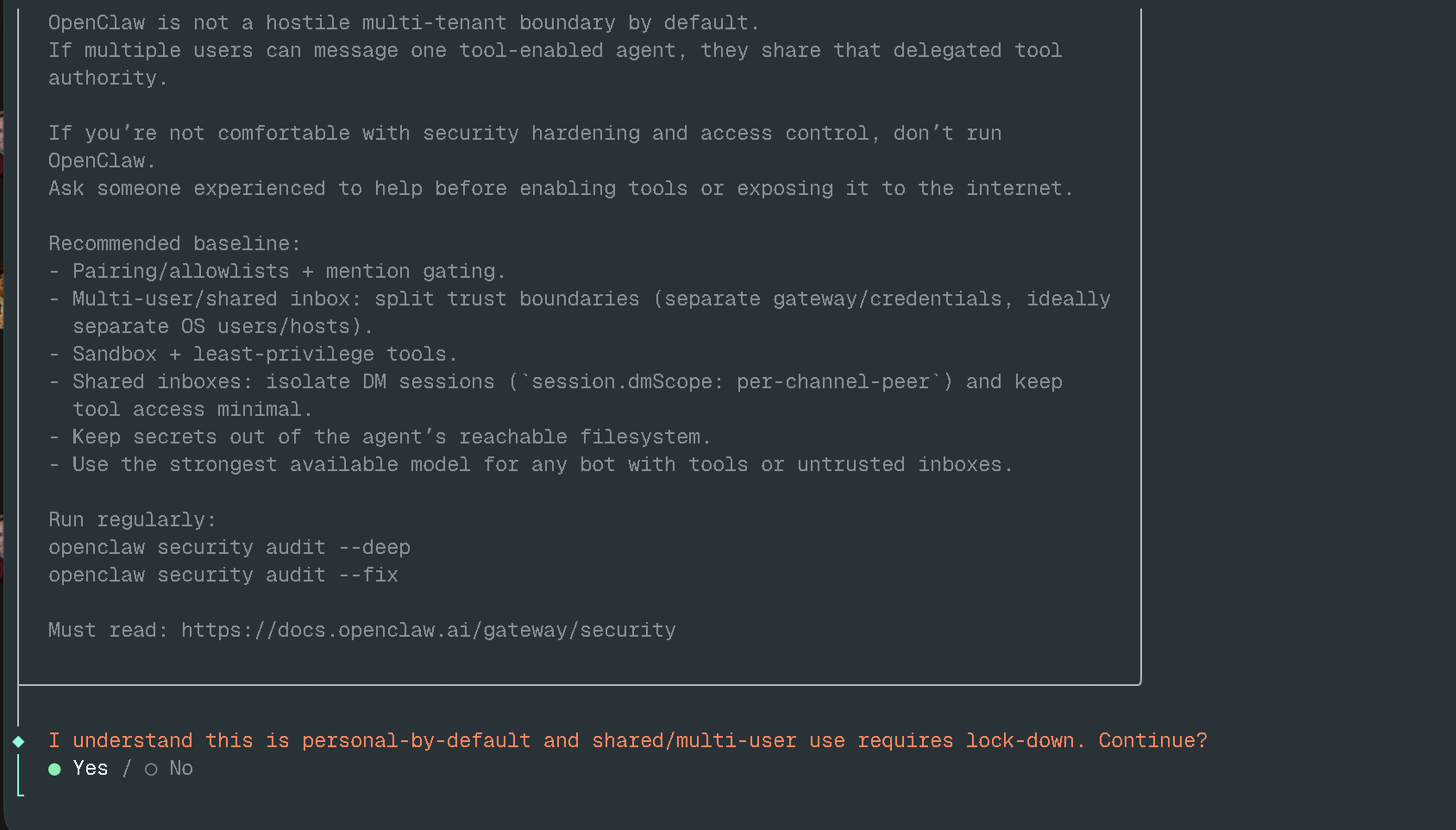
For channel setup, I used Telegram for a simple test and noticed that after the setup finished my gateway wasn’t starting properly, instead showing the error below.
◇  Doctor warnings ────────────────────────────────────────────────────────╮
│                                                                          │
│  - channels.telegram.groupPolicy is "allowlist" but groupAllowFrom (and  │
│    allowFrom) is empty — all group messages will be silently dropped.    │
│    Add sender IDs to channels.telegram.groupAllowFrom or                 │
│    channels.telegram.allowFrom, or set groupPolicy to "open".            │
│                                                                          │
├──────────────────────────────────────────────────────────────────────────╯
A simple fix, just add allowFrom in the configuration under channels.telegram, which looks like below.
"channels": {
  "telegram": {
    "allowFrom": ["<YOUR_TELEGRAM_ID>"]
  }
}
This ensures your AI agent only talks to your Telegram account. The second error was the Control UI refusing to start when I tried to access it in the browser which is actually a good thing, ensuring users run OpenClaw securely.
2026-03-08T02:25:26.490+00:00 Gateway failed to start: Error: non-loopback Control UI requires gateway.controlUi.allowedOrigins (set explicit origins), or set gateway.controlUi.dangerouslyAllowHostHeaderOriginFallback=true to use Host-header origin fallback modeBut even so, it can be bypassed by adding the configuration below to allow access from your private network or local machine.
"gateway": {
  "port": 18789,
  "mode": "local",
  "bind": "loopback",
  "controlUi": {
    "allowedOrigins": [
      "http://localhost:18789",
      "http://127.0.0.1:18789",
      "http://x.x.x.x:18789"
    ],
    "dangerouslyDisableDeviceAuth": true
  }
}
You have to explicitly list the origins you want to allow, otherwise it won’t bind to anything other than localhost if you run it in your home lab.
The configuration file is at ~/.openclaw/openclaw.json, whenever you edit it you’ll need to restart the gateway for the changes to take effect. After the setup is finished, you get a main agent that you can configure to do what you want.
This main agent is the OpenClaw gateway itself the main controller and it’s not safe if you’re running it directly on the host, as it gives anyone access to your server via the AI agent.
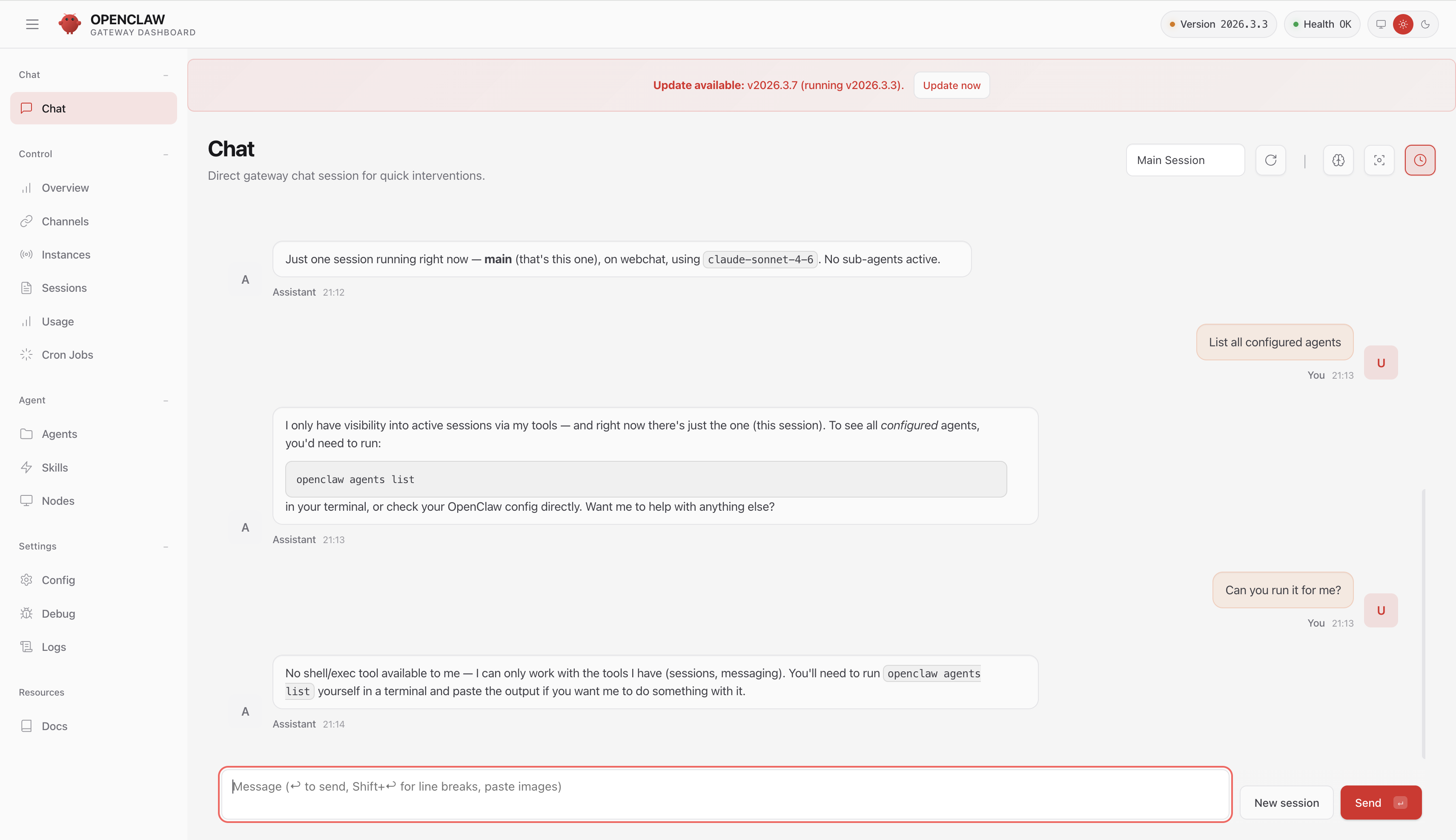
The main agent profile doesn’t have full access by default, but if you go to Agents settings, select the main agent, click on Tools, switch the profile to Full, and click Save and Reload Config.
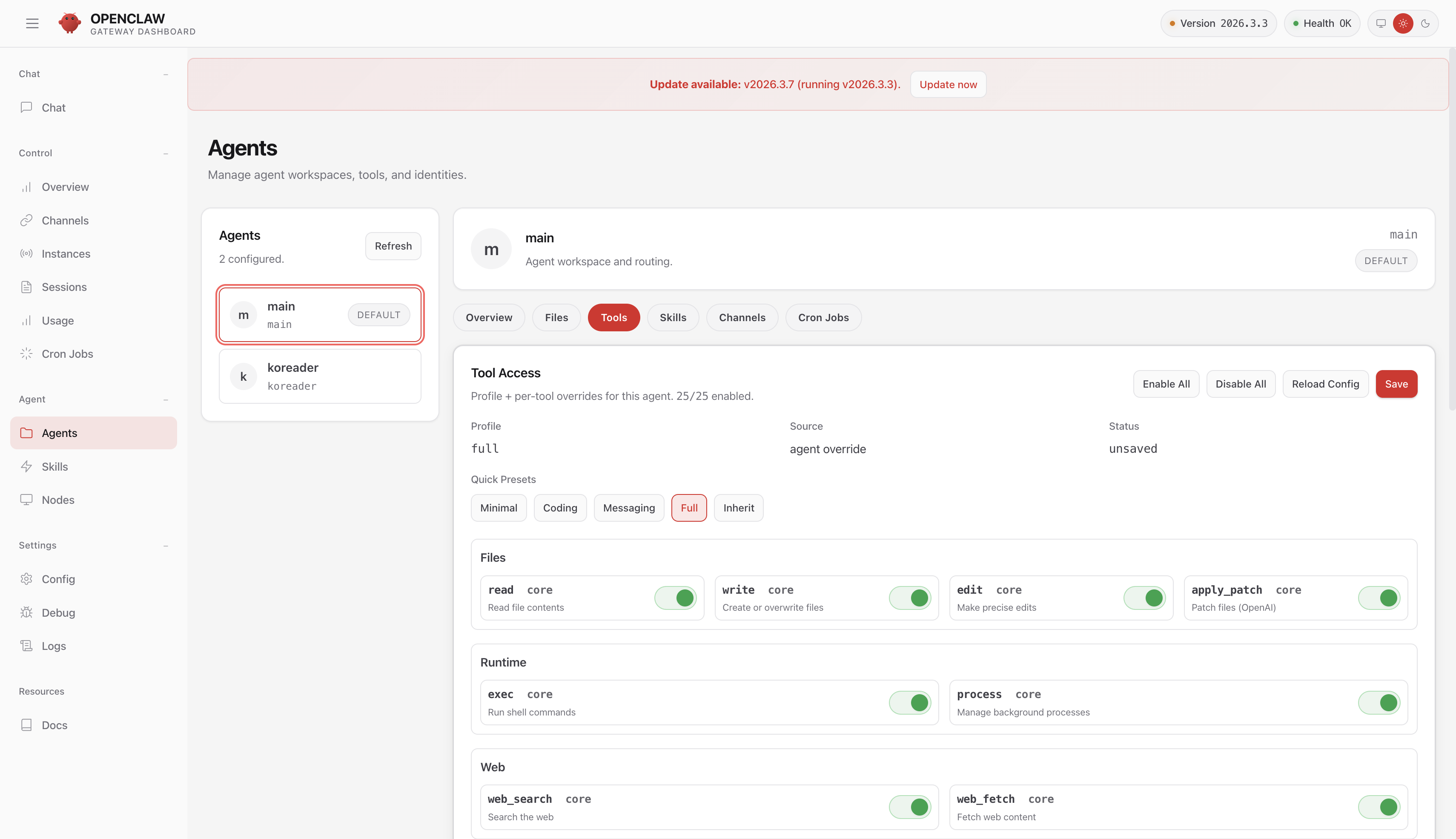
Let’s try chatting with the agent again, now it has full control of the system (Agent Gateway).
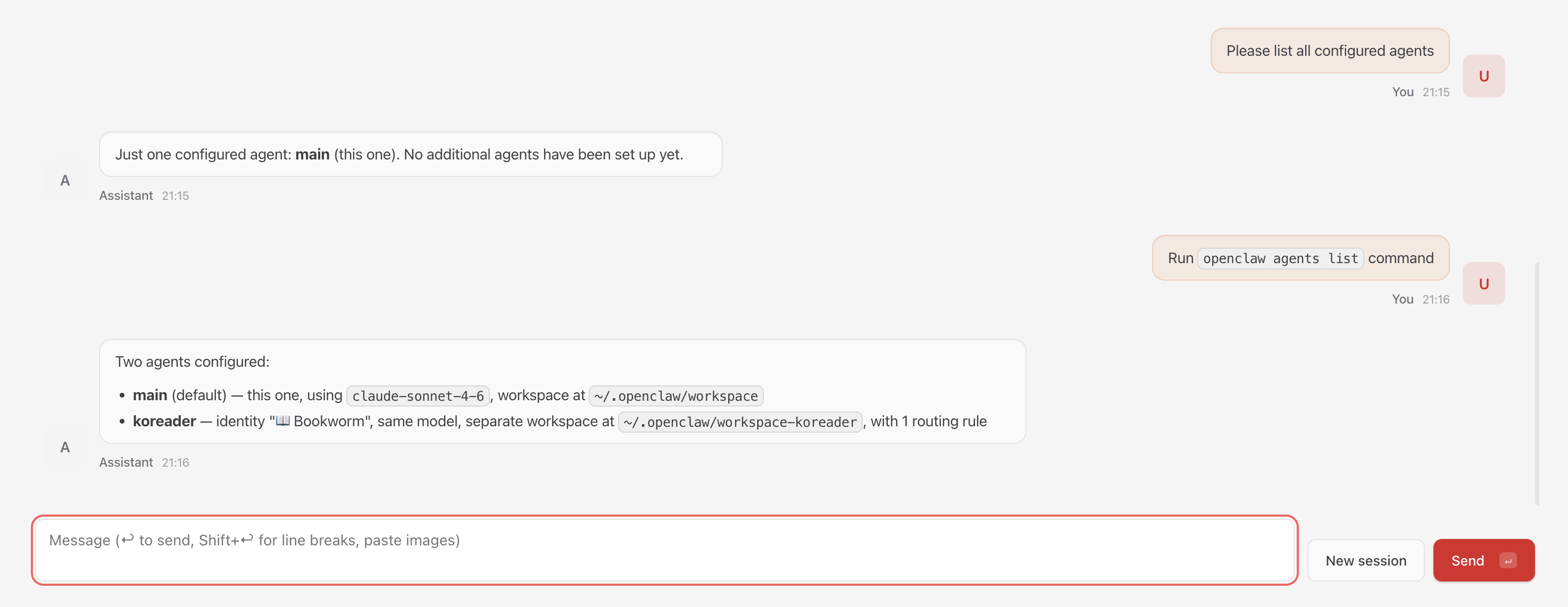
You can modify the gateway configuration just by typing an instruction, pretty easy to compromise a machine isn’t it 😀
Setting up the Sandbox
Don’t worry! OpenClaw provides guidance on setting up sandboxing for your AI agents. This setup means OpenClaw needs access to the Docker socket to spawn a dedicated agent session isolated from the main agent. Unfortunately these settings must be configured in the config file directly, the UI doesn’t expose them. In docker-compose.yml, we need to uncomment the following:
- /var/run/docker.sock:/var/run/docker.sockAnd update the configuration with the following:
  "agents": {
    "defaults": {
      "model": {
        "primary": "anthropic/claude-sonnet-4-6"
      },
      "workspace": "/home/node/.openclaw/workspace",
      "compaction": {
        "mode": "safeguard"
      },
      "maxConcurrent": 4,
      "subagents": {
        "maxConcurrent": 8
      },
      "sandbox": {
        "mode": "off",
        "workspaceAccess": "ro",
        "scope": "agent",
        "docker": {
          "image": "openclaw-sandbox:bookworm-slim",
          "workdir": "/workspace",
          "network": "bridge",
          "user": "1000:1000"
        }
      }
    },
This is the default sandbox configuration whenever you add a new agent it will inherit this, but you can also override it per agent. The same guide also says you need to build the sandbox image first. The Dockerfile looks like this:
FROM debian:bookworm-slim@sha256:98f4b71de414932439ac6ac690d7060df1f27161073c5036a7553723881bffbe

ENV DEBIAN_FRONTEND=noninteractive

RUN apt-get update \
  && apt-get install -y --no-install-recommends \
    bash \
    ca-certificates \
    curl \
    git \
    jq \
    python3 \
    ripgrep \
  && rm -rf /var/lib/apt/lists/*

RUN useradd --create-home --shell /bin/bash sandbox
USER sandbox
WORKDIR /home/sandbox

CMD ["sleep", "infinity"]
Not much to it honestly we can create our own image if we want. I do wonder if the sandbox user is strictly necessary, but I haven’t tried a different image yet, maybe later. Once everything is ready, we can add a new agent via CLI. You’ll need to exec into the OpenClaw gateway container to run the command.
openclaw agents add maliciousThat command automatically adds the following entry into the configuration:
      {
        "id": "malicious",
        "name": "malicious",
        "workspace": "/home/node/.openclaw/workspace-malicious",
        "agentDir": "/home/node/.openclaw/agents/malicious/agent"
      }
If you’re wondering how to modify the configuration, the same CLI approach works using the config parameter explained here. Let’s add some settings to the new agent.
openclaw config set agents.list.2.tools.allow '["exec","read"]' --strict-jsonThe index is 2 because this is the third agent I configured.
After getting a better understanding of how it works, I think the sandbox configuration in OpenClaw won’t be limited to Docker in the future. It should be flexible enough for anyone to add other sandboxing options if they want. After exploring it a bit more, I also thought that adding guardrails to OpenClaw would be a good idea then I found this discussion where the feature may be added soon: https://github.com/openclaw/openclaw/discussions/17275. This would be a pretty solid improvement.
Some Thoughts
Since OpenClaw was released a couple of months back, I’ve heard a lot of news about security issues around AI agents and why sandboxing matters in this space. It’s not only about how well your sandboxing is configured, it becomes another layer of infrastructure that needs to be added (which means more complex) and without bypassing the sandbox itself, the network boundaries of AI infrastructure become a weakness. It doesn’t matter what technology you’re using if your boundaries can be bypassed, even sandboxing becomes useless. So when you’re thinking about running AI agents in your infrastructure, don’t just think about which runtime or sandbox to use.